I couldn't help but chuckle in response.
 Photo by Amaury Gutierrez on Unsplash
Coding style. I've heard it a hundred different ways:
- "That's just my coding style"
- "Everyone writes code different"
- "It's how I understand the code best"
Etcetera, etcetera, etcetera.
It is a pet peeve of mine when I hear a developer say any of these types of phrases as an excuse to why their code looks a little cringeworthy. Why? Because it is inherently selfish. The only case where this isn't true is when you're writing code ONLY for yourself, or in an isolated "R&D" type environment where trial and error is the focus. But if you work in a team, this is borderline disrespectful.
Analogy
The perfect analogy for "coding style" is handwritten letters. Let's look at the following image.
Letter A
 Photo by Amaury Gutierrez on Unsplash
Now tell me how well you can read this note. The top is almost unintelligible. I can make out a few words in the middle and towards the bottom, but overall, this would be a frustrating letter if I got it in the mail. It feels messy and quickly written. But hey that's the style.
Letter B
Then there is this one.
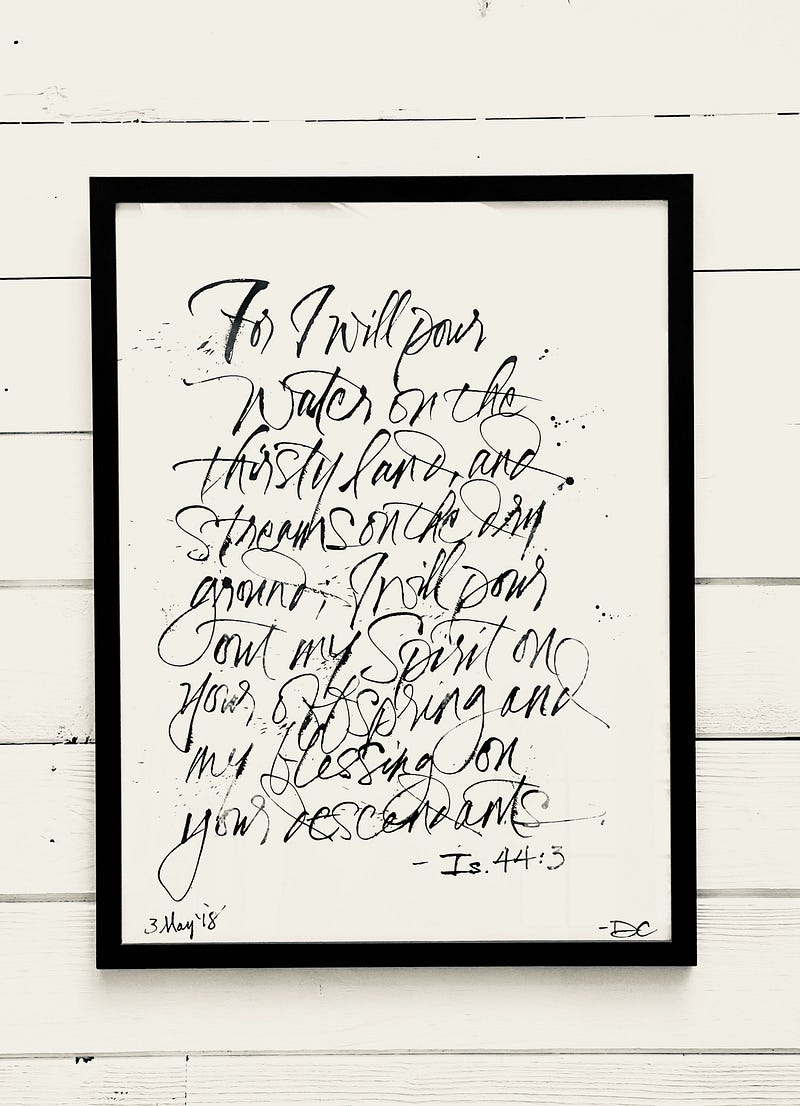 Photo by Jon Tyson on Unsplash
I can read this one better. The "fanciness" of the letters does require a bit more time to decipher, but is legible. And it does feel "cleaner" than the last one. But to me, this is the equivalent of "cleverness" in code, or unusual approaches to common problems. "Is all that code REALLY necessary when you could have simply done X?"
Letter C
And then finally, you have this.
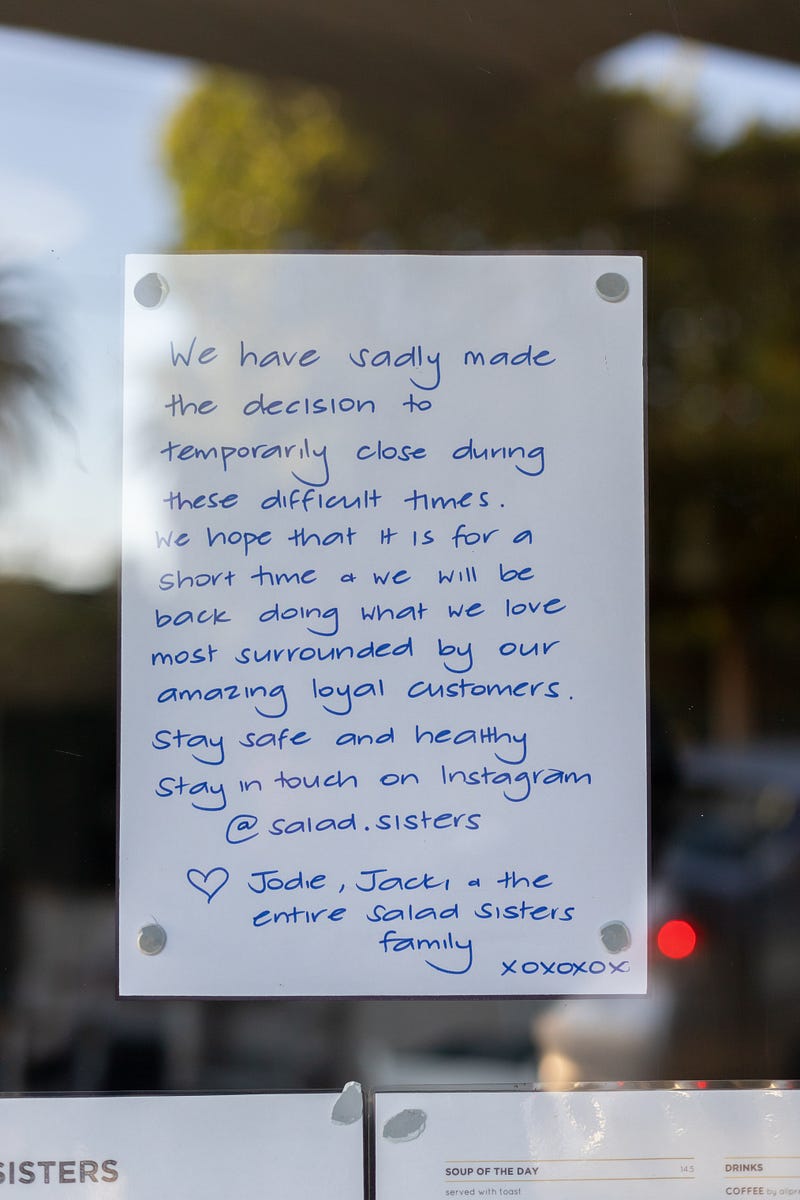 Photo by Mitchell Luo on Unsplash
This was written for the reader of the note. No, it isn't fancy. No, it isn't exactly artistic (although I do see hints of creativity in the 'g's and 'y's). It serves its purpose of communicating to the consumer the information effectively and professionally.
And that is the point. Unless you're a loner, non-professional developer, you don't write code for yourself; you write it for your fellow developers and your future self (which is virtually a different person when you've forgotten how the code worked). Computer languages are for communicating with your fellow human, not computers, no matter how backward that may sound.
So, yes, everyone has a "style," but the question is whether your style is messy / dirty like Letter A. Or is too clever and "artistic" like Letter B. Or clean and professional like Letter C (even if it does have a little fun).
Although I firmly believe this is a perfect analogy, let's go through some code examples.
Style Examples
My familiarity is C#. For that reason, these examples will be provided in this language, but a lot of the principles will apply in almost any language.
Letter A / Messy
Let's start with an extreme example. Now, let me be clear, this code WAS contrived, but I have seen code like this before. And I have worked with people that have written code like this before (I'm extremely thankful this is no longer the case). But if you have a weak constitution, you may wish to skip this example.
The purpose of this method is to simply sum up quantities by name and insert them into a database. Just looking at this example hurts my brain…
Again, I have not seen this exact code example in the past, but this is pretty representative of the individual I'm thinking about. I have witnesses…
Writing code like this is not only disrespectful but shows a fundamental lack of understanding of how the language is structured. Yes, it technically works. But a 12-year-old can make code run (I'll provide a personal example later).
Letter B / Clever
In this example, we have the same objective, but you can see the "cleverness" in the code. Much more understandable from the last one, but not necessarily readable.
This code is much more tolerable for me. Yes, it takes a minute to see what is happening with the SQL_TEMPLATE and what goal is being achieved here. But this developer is creating a more performant mechanism than the last one, albeit with an interesting approach with string concatenation.
He could have optimized the query more, of course. There isn't a need to actually use INSERT multiple times. Instead, you can simply separate each row after the VALUES keyword, but this works too. Then he is adding the values in a loop before making a one shot to the server.
Again, not the worst, but not the best either. This is a "clever" solution, but one that takes a bit of work to understand. Nothing like Letter A though.
Letter C / Clean
Finally. Let's write some code that our fellow developer can read and quickly understand, without having to interpret too much, but also gain the same improvements in performance that B accomplished.
Yikes! We almost doubled our lines of code. Well, here comes the debate. Is line count the most important metric? Some think so. I would generally agree because the number of lines used in a code base typically spells inefficiency.
The question becomes whether or not these can be re-used, abstracted or otherwise pushed aside to only be read when needed. The algorithm used in the "clean" view is essentially the same. The only real difference is the usage of methods and StringBuilder (which does provide some minor benefit).
So maybe, let's look at this from a different angle. Let's only focus on the public methods of B and C instead.
Letter B (Public)
Letter C (Public)
From this angle, which method is easier to read? Hopefully you say Letter C. The reality is when you start jumping through code, you're going to be looking at public methods first, especially when debugging an issue. Those private methods aren't exposed, so naturally the public ones will be your entry point. Even if you're just exploring, you're hitting public methods before ever looking at private methods. So, you want the first method you see to guide you through the next stage of your journey.
When I see Letter B, the cognitive load is much higher to determine what is happening in that method. In fact, I really need to go through the whole method to truly understand what is happening before I can really start. But hey, it is less lines of code and condensed in a "clever" way.
When I see Letter C, I really only see two methods I need to explore: GroupProductRecordsByName and BuildBulkProductCountCommand. The naming of these methods are clear and concise. You know exactly what you're going to find when navigating to those methods. As soon as you enter into the public method, you know what is happening.
So yes, Letter C, in totality, is more lines of code and maybe even a bit more "complex," but it's easy to read. You can flow through the code and know exactly what is happening at each stage. This code takes longer to write, determine function names, and separate out methods appropriately scoped. But it's not for today you. It's for future you and the next person that has to work in your code base.
Conclusion
Let me be frank. I do not write code like this anymore. Letter C is inefficient in the way it is written, but the example is more about the prose (Matthew Bischoff) of software languages, or the natural flow. Instead, I would use frameworks like Dapper or any other ORM to achieve a more succinct solution. In fact, I wrote an article recently about bulk uploading called "Advanced C#: SQL Server Bulk Upload" specifically that I could have used here as well.
We should show respect and professionalism to our fellow developer. We should grow together and push each other to be storytellers and poets of the computer age. When we write code, take pride in the naming of your variables and methods; take pride in your spacing and line breaks; take pride in your work.
Bonus!
I wanted to add a few code files to the end of this article to show some of the HORRIBLE examples of poor readability from my past. The following are all real code files I have written at different stages of my amateur and professional software growth. Don't be gentle! I deserve whatever you have to say about these entries… :)
Even in the newest code (from last year) I still have more growing to do. This game isn't about perfection, but "perfecting" and of maturing as engineers.
Enjoy!
A fun little game might be to see if you can tell me what each of these code files are trying to do? Can you quickly see what the algorithms are doing?
Military Strikes (VB6 Game) — 1999 (12-Years-Old)
SPICE Model Engine (VB.NET) — 2006
Card Shop Inventory System (C#.NET) — 2015
Document Library Module (C#.NET) — 2020